SuperVOCA

The simplest participation aid, made smart

A voice output communication aid (VOCA) that runs on your own device or a caregiver’s, with no extra hardware.
SuperVOCA is now in Open Beta.

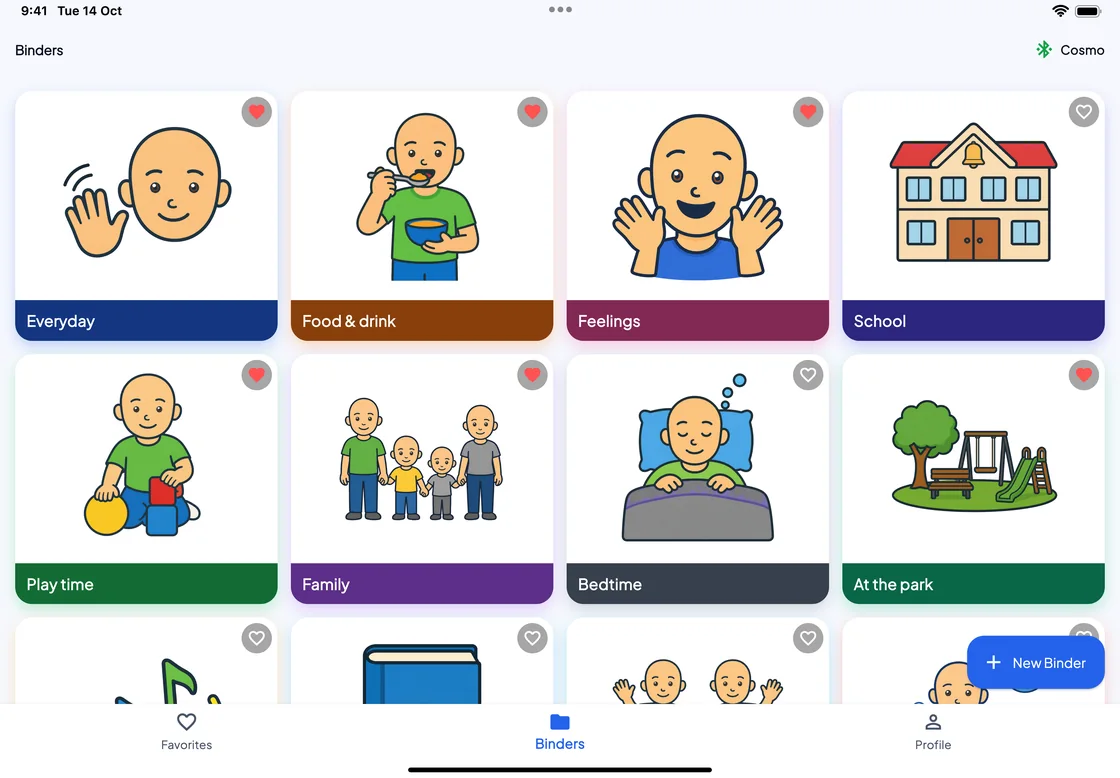
SuperVOCA on an iPad: the Binders screen, a grid of binders with PAACs pictures (Everyday, Food and drink, Feelings, School, Play time, Family, Bedtime, At the park), hearts on the favourites and a New Binder button.
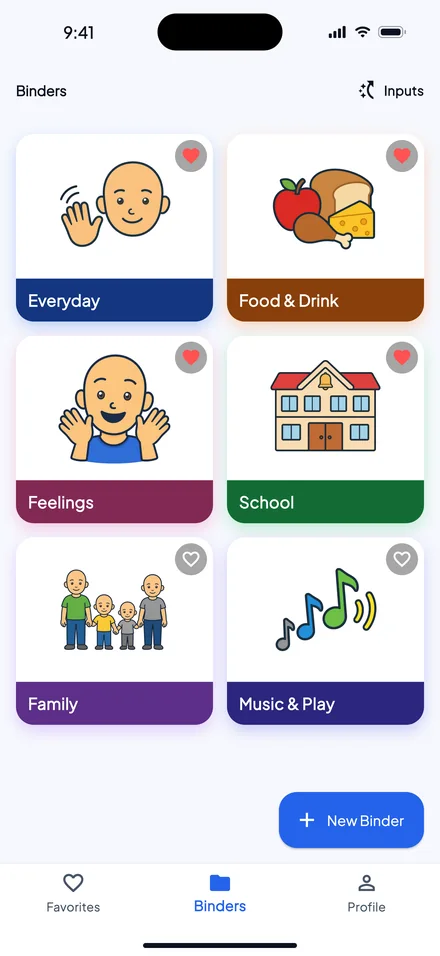
The Binders screen on an iPhone: six binders, two to a row, each with a PAACs cover.

Binders

A binder for each part of the day

Make as many binders as you need, with as many messages in each.
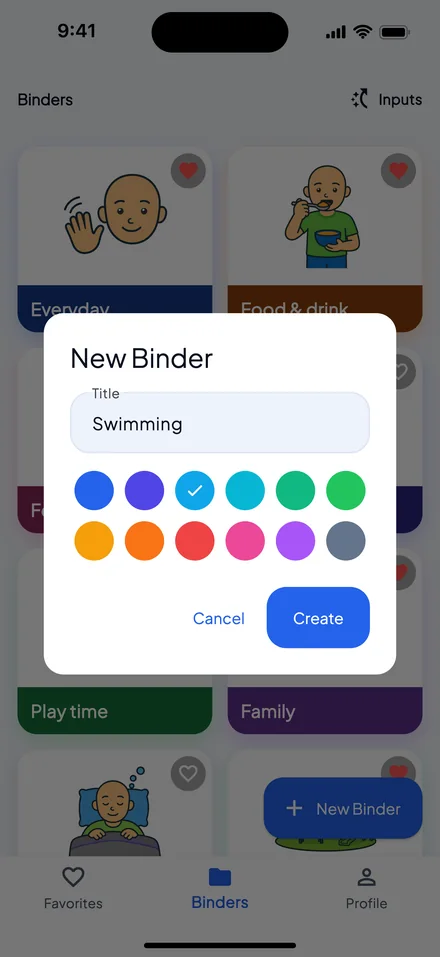
The New Binder dialog: the title “Swimming”, two rows of colour swatches with sky blue chosen, and Cancel and Create buttons.
New Binder. Type a title and pick one of twelve colours.
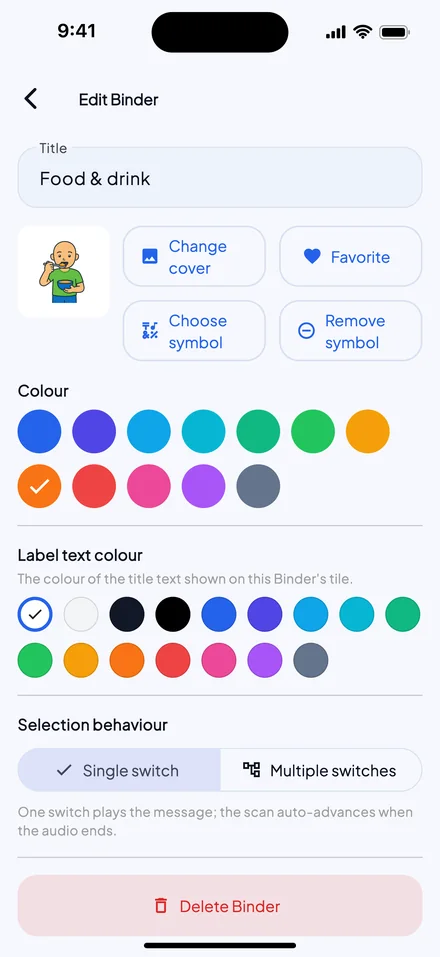
Edit Binder for “Food and drink”: a cover with a PAACs picture of a boy eating, buttons to change the cover or choose a symbol, colour and label text colour swatches, and Selection behaviour set to Single switch.
Edit Binder. Give it a photo or a symbol as its cover and a colour for its title, and set it for one switch or several.
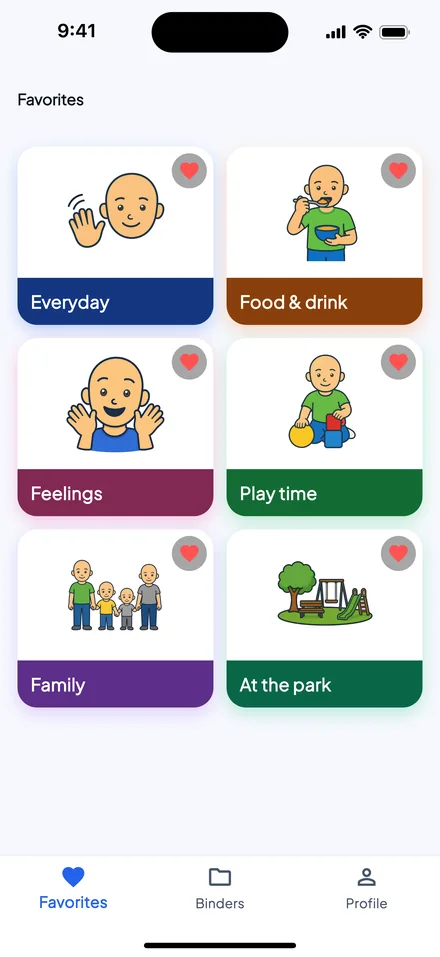
The Favorites tab: six binders, each with a PAACs picture and a red heart: Everyday, Food and drink, Feelings, Play time, Family and At the park.
Favourites on their own tab. Tap the heart on a binder to add it.

Messages

One message at a time

Each message is a full-width square with its picture and its words.
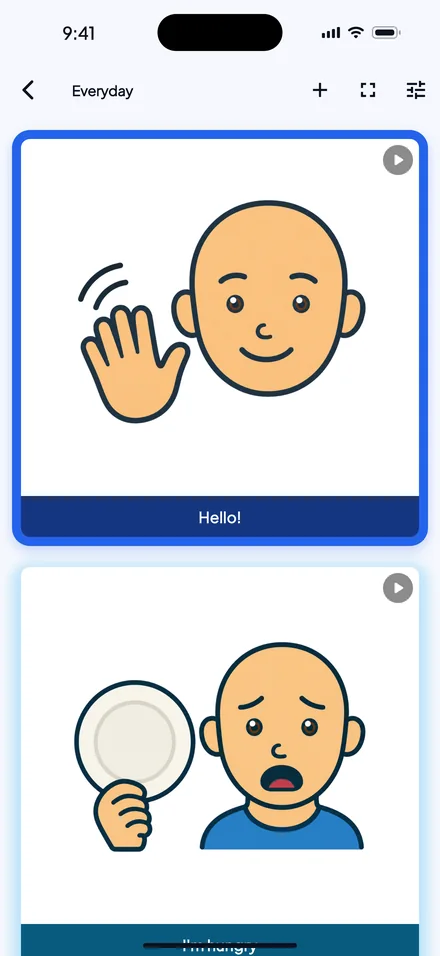
Inside the Everyday binder: the message “Hello!” highlighted with its PAACs picture, and the message “I’m hungry” below it.
Inside a binder. The highlight marks the message that plays at the next Select.
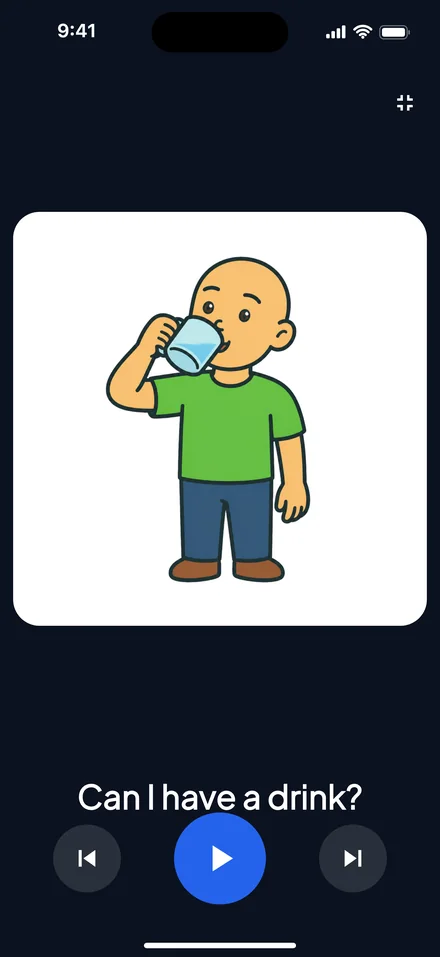
Full-screen playback: a PAACs picture of a boy drinking from a glass, the words “Can I have a drink?”, and previous, play and next buttons.
Or fill the screen. One picture, as large as the screen allows, with previous, play and next buttons. Swipe to move between messages.

Voices

Record it, or type it

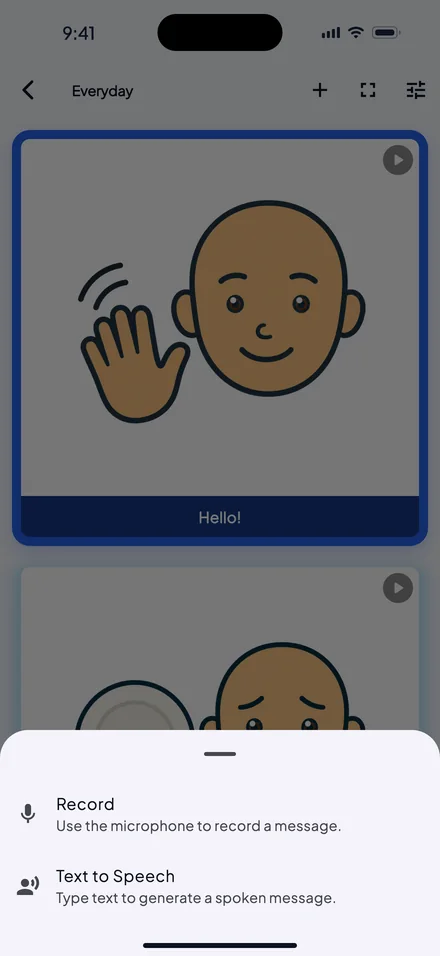
The new message sheet: Record, to use the microphone, and Text to Speech, to type a message for a voice to say.
Two ways to add a message. Your own voice through the microphone, or a text-to-speech voice reading what you type.
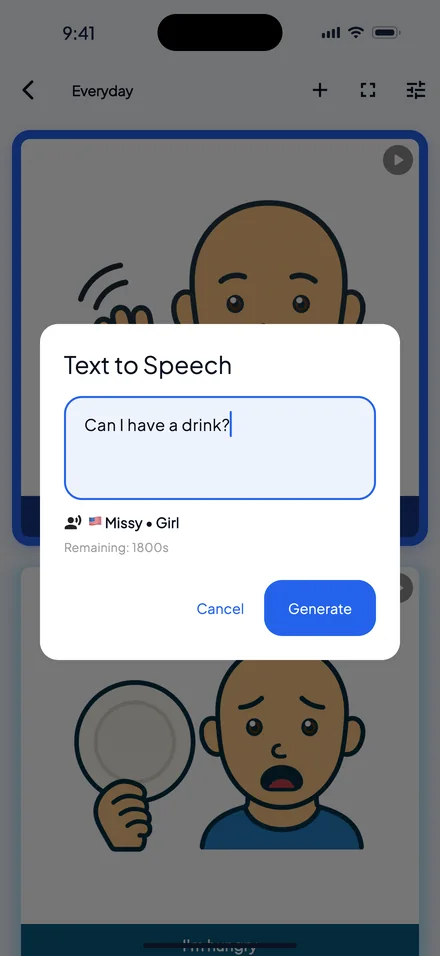
The Text to Speech dialog: “Can I have a drink?” typed, the default voice Missy (Girl), 1800 seconds remaining, and Cancel and Generate buttons.
Type it, then generate. The dialog uses the default voice from Settings and shows how many seconds of speech are left.
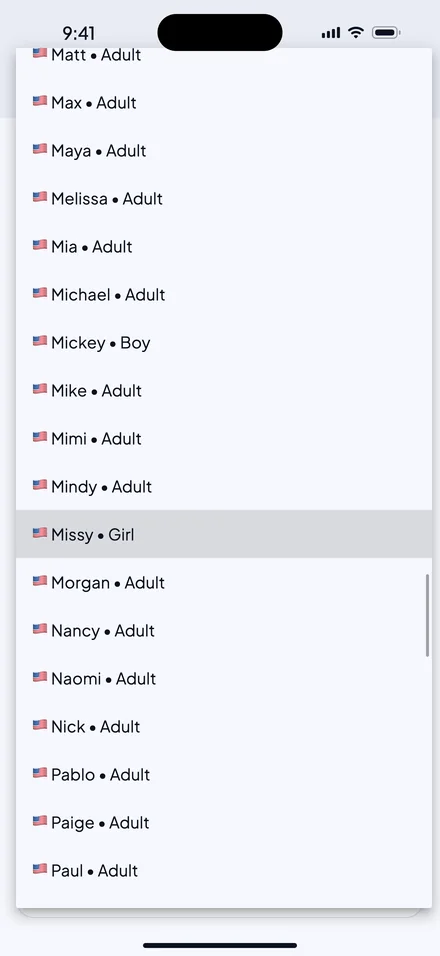
The default voice list in Settings, for English (US): each voice labelled Adult, Boy or Girl, with Missy (Girl) selected.
Choose the default voice. Every voice in the list is labelled Adult, Child, Boy or Girl.
  • 928 voices in 112 languages and accents
  • 38 child voices, in 10 languages
  • Unlimited recorded messages, in your own voice

Access

Play by touch or by switch

Every input is a switch, and its single, double and long presses can each have their own job.
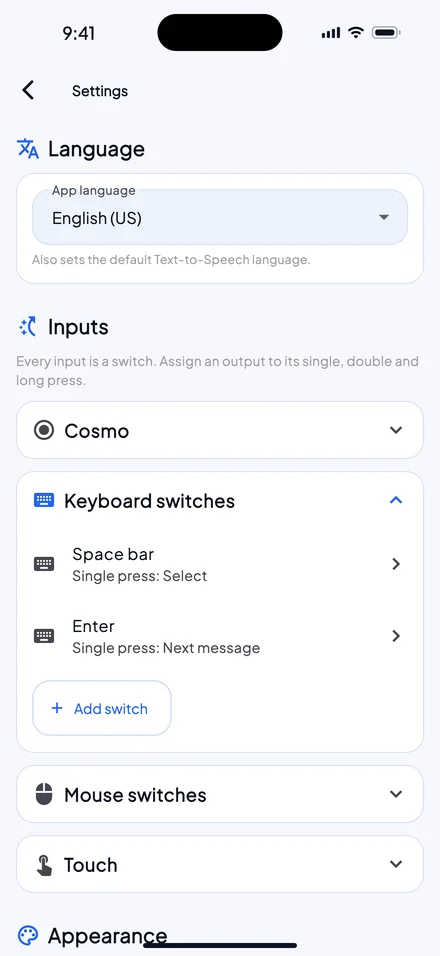
Settings, Inputs: Keyboard switches open, with Space bar set to Select and Enter to Next message; Cosmo, Mouse switches and Touch below.
Every input in one place. Cosmo, keyboard and mouse switches, and touch.
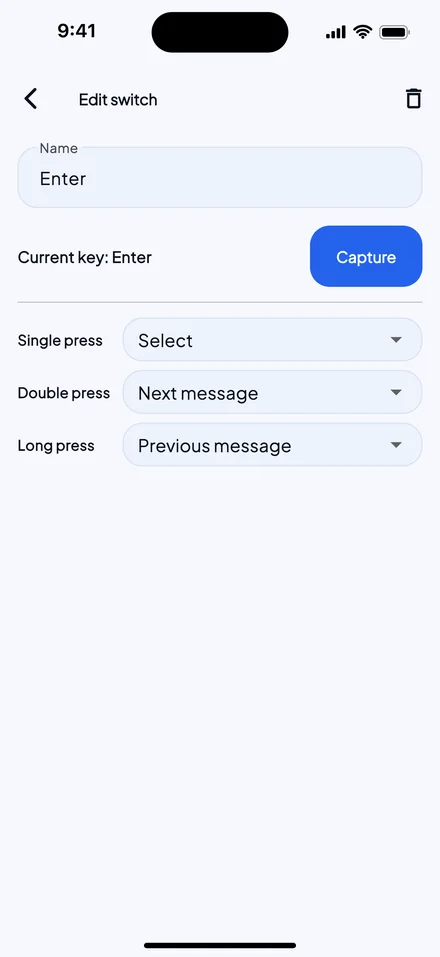
Edit switch for the Enter key: single press set to Select, double press to Next message, long press to Previous message.
One key, three actions. Here Enter selects on a single press, goes to the next message on a double press and to the previous one on a long press.
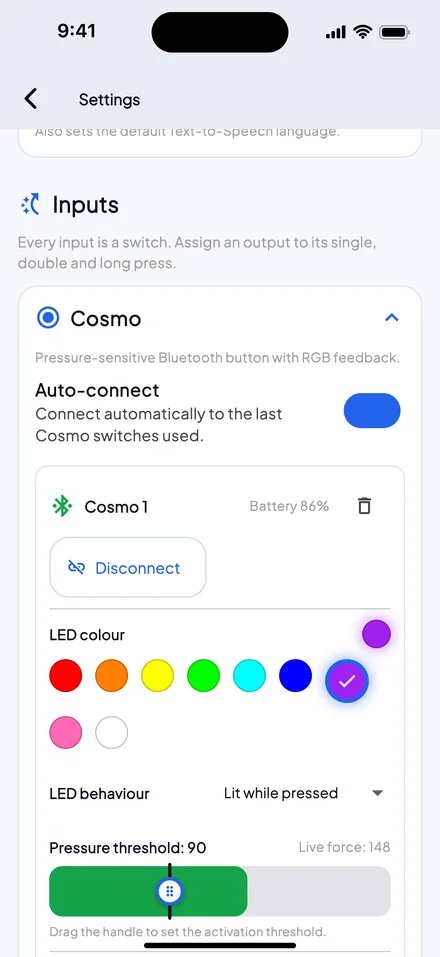
The Cosmo card in Settings: Auto-connect on, Cosmo 1 connected at 86% battery, a row of LED colours, LED behaviour Lit while pressed, and a pressure threshold of 90 on a live force bar.
Cosmo switches, in Settings. Auto-connect reconnects the switches you used last, and each one shows its battery level.
  • 3 Cosmo Bluetooth switches at once, or any switch that types a key or clicks a mouse
  • Touch Tap, double-tap or long-press a message
  • Per binder One switch that plays and moves on, or separate switches for previous, next and select

Pictures

Photos and symbols

Give any message a photo from the camera or the gallery, or a symbol.
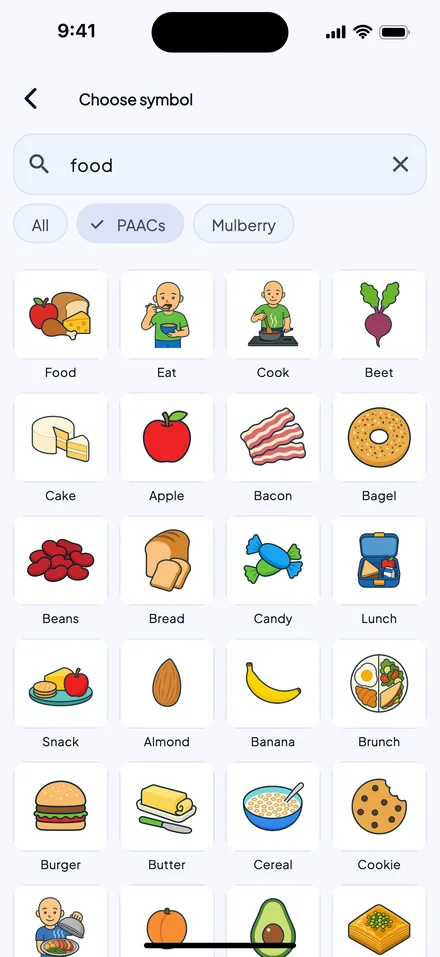
Choose symbol, searching “food” in PAACs: a grid of food pictures such as Apple, Bread, Banana and Cookie, with the All and Mulberry filters beside PAACs.
Two symbol sets, built in. 692 PAACs and 3,436 Mulberry symbols, labelled and searchable in the app’s language.

Offline and languages

Ready offline, in your language

  • Plays offline

    Saved messages play from the device. Making a new text-to-speech message needs a connection.

  • Sign in, then go offline

    A Super Account is required, and the same account works in SuperAAC and SuperCoach. After each sign-in, SuperVOCA works offline for up to 30 days.

  • 17 languages

    The app’s language also sets the language of the default text-to-speech voice.

Tech specs

The details

Platforms
iPhone, iPad, Android and Windows (x64).
iPhone and iPad
iOS or iPadOS 15.0 or later.
Android
Android 7.0 or later.
Inputs
Touch (tap, double tap, long press), up to three Cosmo Bluetooth switches at once, keyboard keys and mouse buttons. Each kind of press can have its own action.
Switch modes
One switch that plays a message, then moves on when it ends; or separate switches for previous, next and select. Set per binder.
Voices
Your own recordings, plus 928 text-to-speech voices in 112 languages and accents; 38 are child voices.
Text to speech
30 minutes of generated speech in total. Generating speech needs an internet connection.
Symbols
692 PAACs and 3,436 Mulberry symbols, labelled in the app’s language; or your own photos.
Languages
17: English (UK and US), Italian, German, French, Spanish, Portuguese, Russian, Croatian, Danish, Dutch, Finnish, Swedish, Norwegian, Estonian, Chinese, Japanese and Korean.
Works offline
Saved messages play without a network. The app works offline for up to 30 days after each sign-in.
Account
A Super Account (email and password) is required. Create it in SuperVOCA or SuperAAC.
Price
€5.99 a month, or €190 for five years, paid once.

The SUPER suite
Your words. Your voice. Your way.